
MyPregnancy@NBT2.0.1 - Google Play
You'll be able to see results in few seconds.
Publisher Description
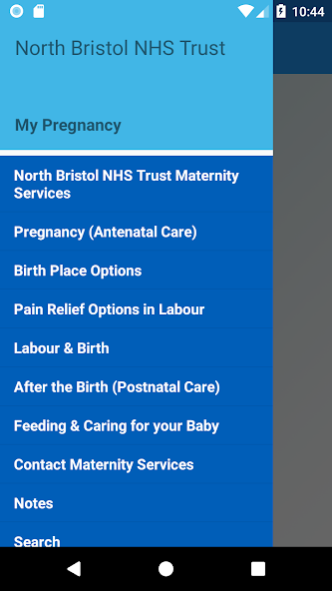
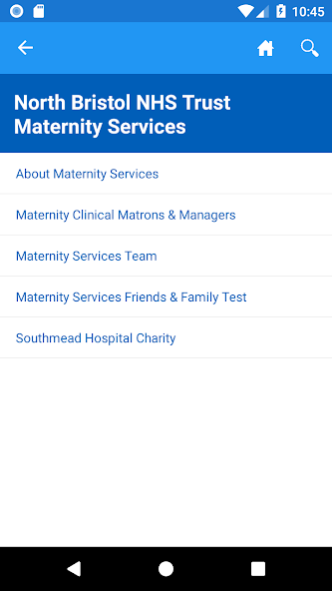
The My Pregnancy @ North Bristol NHS Trust App, funded by Southmead Hospital Charity, is a free to use App designed for women who are under the care of North Bristol NHS Trust Community Midwives or are planning on having their baby at Cossham Birth Centre, Mendip Birth Centre or the Central Delivery Suite.
Easy to use anytime, anywhere, it provides lots of information about pregnancy, labour and post-birth, and helps parents-to-be make informed choices about where they want to give birth. Once downloaded the app does not require an internet connection. It replaces leaflets, which are often lost – though paper copies will still be available on request.
The content has been produced by our experienced midwives and clinicians. The information included within the app is also available on our website www.nbt.nhs.uk/maternity
The App will be regularly reviewed to ensure it contains the most up-to-date information possible so please ensure you have the most recent version updated on your device(s).
The information included in the App may not be relevant to all pregnant women, as it covers many conditions during pregnancy, labour and birth. If you have any questions, please ask one of our midwives.
If you have any comments regarding the app, please email website@nbt.nhs.uk
About MyPregnancy@NBT
The company that develops MyPregnancy@NBT is Horizon Strategic Partners Ltd. The latest version released by its developer is 2.0.1.
To install MyPregnancy@NBT on your Android device, just click the green Continue To App button above to start the installation process. The app is listed on our website since 2021-11-05 and was downloaded 0 times. We have already checked if the download link is safe, however for your own protection we recommend that you scan the downloaded app with your antivirus. Your antivirus may detect the MyPregnancy@NBT as malware as malware if the download link to uk.co.horizonsp.mypregnancywl is broken.
How to install MyPregnancy@NBT on your Android device:
- Click on the Continue To App button on our website. This will redirect you to Google Play.
- Once the MyPregnancy@NBT is shown in the Google Play listing of your Android device, you can start its download and installation. Tap on the Install button located below the search bar and to the right of the app icon.
- A pop-up window with the permissions required by MyPregnancy@NBT will be shown. Click on Accept to continue the process.
- MyPregnancy@NBT will be downloaded onto your device, displaying a progress. Once the download completes, the installation will start and you'll get a notification after the installation is finished.
Program Details
System requirements
Download information
Pricing
Version History
version 2.0.1
posted on 2021-11-05
App name update
Disclaimer
Official Google Play Link
We do not host MyPregnancy@NBT on our servers. We did not scan it for viruses, adware, spyware or other type of malware. This app is hosted by Google and passed their terms and conditions to be listed there. We recommend caution when installing it.
The Google Play link for MyPregnancy@NBT is provided to you by apps112.com without any warranties, representations or guarantees of any kind, so access it at your own risk.
If you have questions regarding this particular app contact the publisher directly. For questions about the functionalities of apps112.com contact us.
